Files
A file system (FS) is an essential component of an operating system, designed to implement the concept of “files.” The role of a file is to store information; we can think of it as a batch of data residing on secondary storage. Secondary storage refers to storage devices other than registers and main memory, such as mechanical hard drives (HDDs), USB flash drives, and solid-state drives (SSDs). The operating system abstracts these batches of data into files through encapsulation. Different types of files have different structures.
Every file has its own properties, such as the file name, size, and creation date. We refer to this file information as metadata. A file’s file header, sometimes called simply a header, stores information that is only used by the file system; it is only visible to the file system. For example, every file has its own magic number. This is different from the concept of magic numbers in programming languages, which refers to hard-coded numerical values that appear without context. In a file, it refers to a sequence of characters used to indicate the file type.^1 Another example is the file’s extension. In many operating systems, this extension can be displayed to the user. For instance, in test.txt, txt is the file’s extension.
File Directories
A file directory, also widely referred to as a folder, is a special kind of file because its role is to record other files, containing information about other files for the user.
Tree-Structured Directory
A tree-structured directory is a way of managing files. Starting from a single root directory, each of its nodes is either an empty directory or another file. Every path (except for the root path) has one and only one parent file path. The file system assigns a unique ID to every directory when it is created. This ID is used by the file system to manage the file and is invisible to the user.

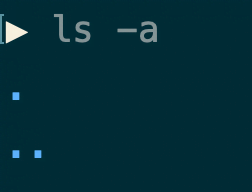
A file’s absolute path name refers to the unique name of the file starting from the root directory all the way down to the file itself. As shown in the image above for the file file.txt, its file path is /user/foo/file.txt. In addition to the absolute path name, a file’s relative path name is a path name based on the current directory. For example, if the current directory is /user/foo/, then the relative path name for file.txt is simply file.txt. To make directory navigation convenient, file systems conventionally provide a “..” file to represent the parent directory and a “.” file to represent the current directory. If you use the command ls -a in a terminal, you will see the files under the current path, including the special “.” and “..” entries.
Directed Acyclic Directory Hierarchy
A tree structure has a drawback: users have to traverse down layer by layer to find the file they need. A directed acyclic directory hierarchy is a slightly more complex file structure than the tree structure. In such a structure, a file or directory can connect downwards to multiple other files. Each file has a reference count, indicating how many parent directories point to this file.

In the figure above, the reference count of f2 is 3 because three parent directories point to it simultaneously. If a file is allowed to connect upwards, a cycle may occur, leading to infinite loops when searching for files.

The image above shows an example of such an infinite loop. To avoid these dead loops, we can stipulate that a node has only one parent node while allowing a type of symbolic link to create shortcuts. Operations like searching for files follow the normal inheritance route, while symbolic links allow us to traverse back and forth between files more conveniently.

The green arrows in the image above represent shortcuts. In fact, the familiar Windows operating system has examples of links: the shortcuts on the desktop.
Implementation of Directories
In addition to the file name, the operating system needs to manage other properties of a file. File size, type, memory address, permission information, creation date, modification date, etc., must all be kept up-to-date by the file system.
Similar to a Process Control Block (PCB), a file also has a File Control Block (FCB). This is a data structure that records the details of a file. Different operating systems store this differently: some store all the above information in the file header, keeping only partial information in the FCB; other systems, in pursuit of extremely high read/write speeds, keep all information in the FCB.

Internal Structure of Directories
A file system must be able to quickly search for file names, quickly reclaim garbage (closing unwanted files), and quickly index to the optimal storage location for creating new files.
The simplest method is to use an array under each directory to store entries for that directory. Each element has a bit to indicate the file’s usage status, a pointer pointing to the corresponding FCB, and a file name. Operations for searching, updating, reclaiming, and generally interacting with files are the same as operations on a standard array.

The above method has a disadvantage: if the file name exceeds the specified size of the array element, the file system cannot place it in the array. Therefore, people introduced the concept of dynamic element sizes. Each element has a field recording the size of the directory entry; when traversing the array, this entry size can be used to determine the position of the next element.

File Operations
Operations on files can be summarized as creation, reading, writing, seeking (repositioning), deleting, and truncation^2. The first four operations are common basic operations you encounter when studying algorithms or databases. Truncation might be less familiar to many.
Creating and Deleting Files
Process of creating a file: To create a new file, the file system first creates a new File Control Block (FCB), then finds an empty directory entry, fills in the file name, and points the file pointer to this FCB.
Process of deleting a file: To delete a file, the file system’s steps are the reverse of creating a file. First, based on the information provided by the FCB, it frees up the disk space occupied by the file; then it deletes the FCB; and finally, it releases the file entry from the directory.
Opening Files
To improve read/write speeds, the operating system maintains an Open File Table (OFT). When a file needs to be read from or written to, the system can index to the specified file through this table. Typically, the operating system maintains two different file tables: a per-process table and a system-wide table^2. The per-process table records all files opened by a specific process, while the system-wide table records files opened by all processes combined. In the operating system, for convenient function calls, a file descriptor (or file handle) is used to reference the corresponding file when performing operations. By default, the first three files in the open file table—0, 1, and 2—are standard input (stdin), standard output (stdout), and standard error (stderr), respectively. When a user or process accesses a file, the file system first checks their permissions. If permitted, the file is added to the table. This way, each time the file needs to be used, its address can be found directly in this table for reading and writing.
Here are the steps the operating system takes to open a file:
- The system searches for the corresponding file within the entries of the current directory.
- It follows the file reference to find its corresponding FCB.
- It matches permission information from the FCB; if permissions are insufficient, the operation fails.
- If successful, it finds an empty entry in the open file table.
- The file system loads the necessary information about this file (addresses of data blocks, file size, file permissions) into the open file table.
- The file system also copies the pointer to that FCB into the open file table for use during subsequent searches.

Example 1:
The Linux operating system provides an open() system call to open files. This method executes the process described above and returns an integer file descriptor. This call accepts arguments such as the filename and access flags (permissions). Let’s open a file named list.txt in the current directory.
1 |
|
Reading and Writing Files
Both reading and writing files require using the open file table and the File Control Block. Let’s assume we have a file with the following control block. It shows that the file data blocks contain two blocks.

When a file is initially created/opened, the open file table already contains some cached data. The cache size does not necessarily align with the block size, which is why there is a current position field in the open file table. The operating system provides the read() system call for reading files. It requires three parameters: the file descriptor, the buffer address, and the count of bytes to read. Let’s assume the above File Control Block is located at address 0xF8 and its corresponding file descriptor is 3. It looks like this in the open file table:

The code below demonstrates reading a file and writing its contents to standard output. It first opens the test.txt file in the directory and then outputs it character by character (or string by string, depending on buffer size).
1 |
|
Disk Block Allocation
A disk block is a contiguous sequence of bytes on a disk. It can only be read or written as a whole unit and cannot be subdivided. The file system views the disk as a collection of many such blocks.
Contiguous Allocation
In the contiguous block allocation scheme, all files are mapped to contiguous disk blocks. The pointer in the File Control Block points to the first block of the file, and the file length (the number of disk blocks occupied by the file) is also recorded in the FCB (see the File Control Block diagram above). The advantage of this approach is extremely high-speed file access because the disk blocks of the same file are adjacent to each other, requiring no re-seeking. The disadvantages are twofold: as files are opened and closed over time, it becomes difficult to find contiguous disk blocks suitable for new files (external fragmentation); and once a file’s size is fixed, it cannot be easily increased if the preceding or succeeding disk block segments are occupied by other files. Moreover, determining exactly how many disk blocks to allocate for a file initially is challenging.

Linked Allocation
Unlike contiguous allocation, in the linked block allocation scheme, the FCB points only to the first disk block. Subsequent disk blocks each point to the next block until the last disk block is reached. The advantage of this approach is that disk space is allocated dynamically. The disadvantages are also obvious: access speed is slower than contiguous allocation because direct access to a specific block is impossible; disk blocks are not contiguous; and the effective size of a disk block decreases slightly because it must store the address of the next disk block.

Clustered Allocation
The clustered allocation method is an approach that combines contiguous allocation and linked allocation. During reading and writing, it contiguously occupies disk blocks (clusters). If the adjacent disk blocks are already occupied, it finds new empty blocks and uses a pointer in the last disk block of the current cluster to point to the address of the new empty block, continuing to read/write in the new sequence of empty blocks.
Advantages:
- Uses disk space more efficiently than pure contiguous allocation.
- Occupies less overhead space within blocks than pure linked allocation (as pointers are only at cluster boundaries).
Disadvantages:
- Slower access speed compared to pure contiguous allocation.
- Like linked allocation, it cannot directly locate arbitrary disk blocks without traversal.

File Allocation Table (FAT)
A variation of linked allocation is the File Allocation Table (FAT). Each entry in this table corresponds to a specific disk block position, and the value of each key either points to another key (the next block in the chain) or is null (indicating the end of the file or an unallocated block). With this method, each individual disk block does not need to store extra pointer information. As shown in the figure below, the data block pointer of the file points to the location in the File Allocation Table corresponding to the beginning of the file, and then subsequent blocks are pointed to sequentially from that beginning position, thus recording the entire file chain.
