Git is surprisingly easy to learn. It had only taken me about an hour to understand the concept and almost 90% of the commands that will be used in a real-world environment. I wish I could’ve spent this one hour sitting down and learning it seriously before getting to work with others.
I find this project called Learn Git Branching extremely useful, and below is the cheatsheet I made after studying the whole project.
Editing
git branch <newBranch>
Create a new branch pointing to the current commit.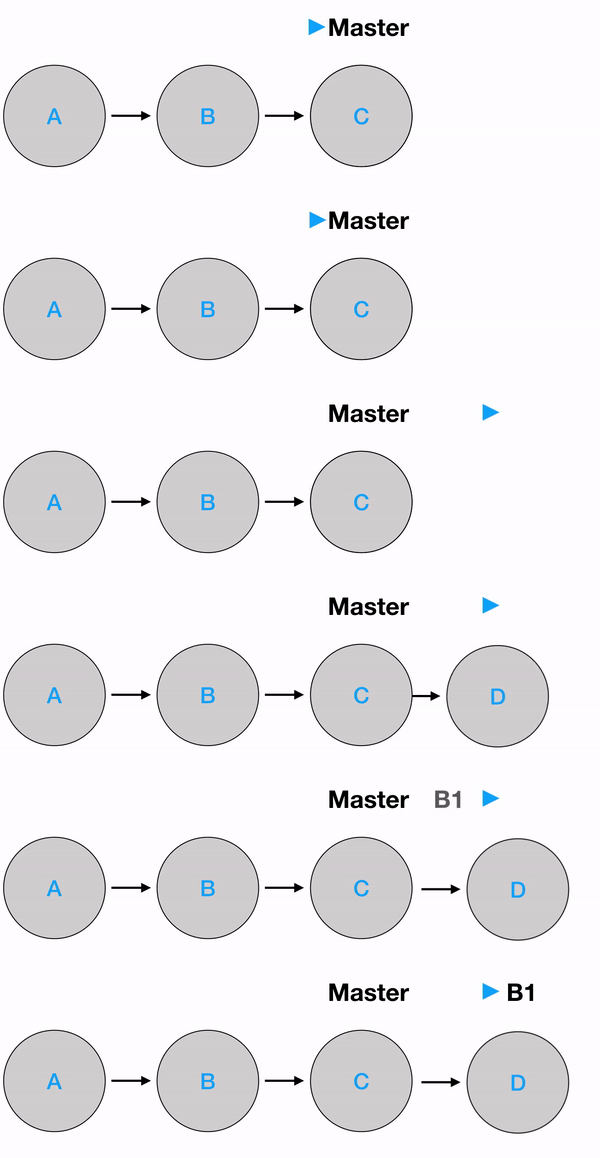
git commit
This command will create a new commit on top of the current commit.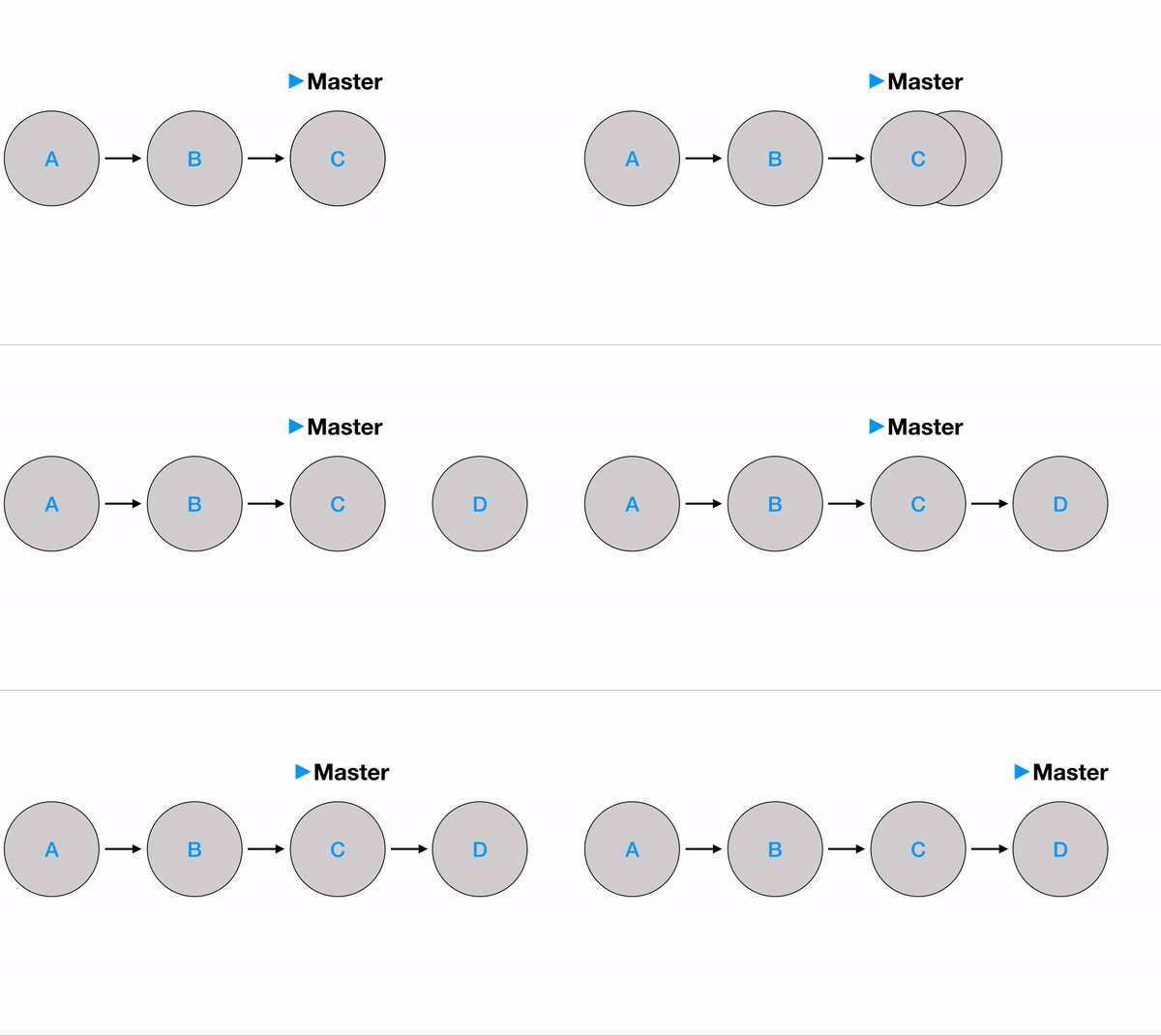
git reset <commit hash>
This command will remove all the changes and bring you back to the parent commit.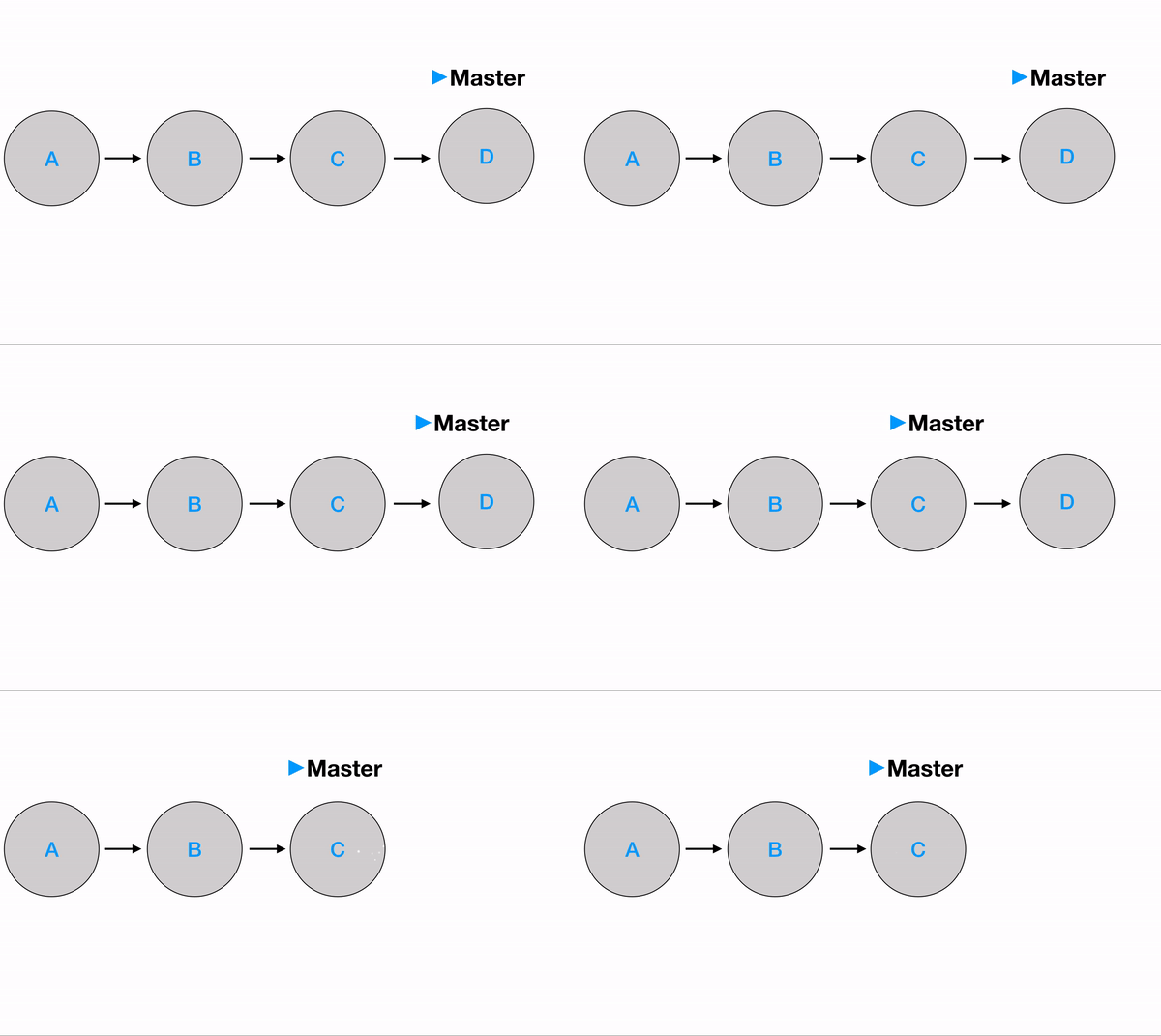
Moving
git checkout <branch>
This command will bring you to the commit where the branch pointer pointing at or the commit with the denoted hash.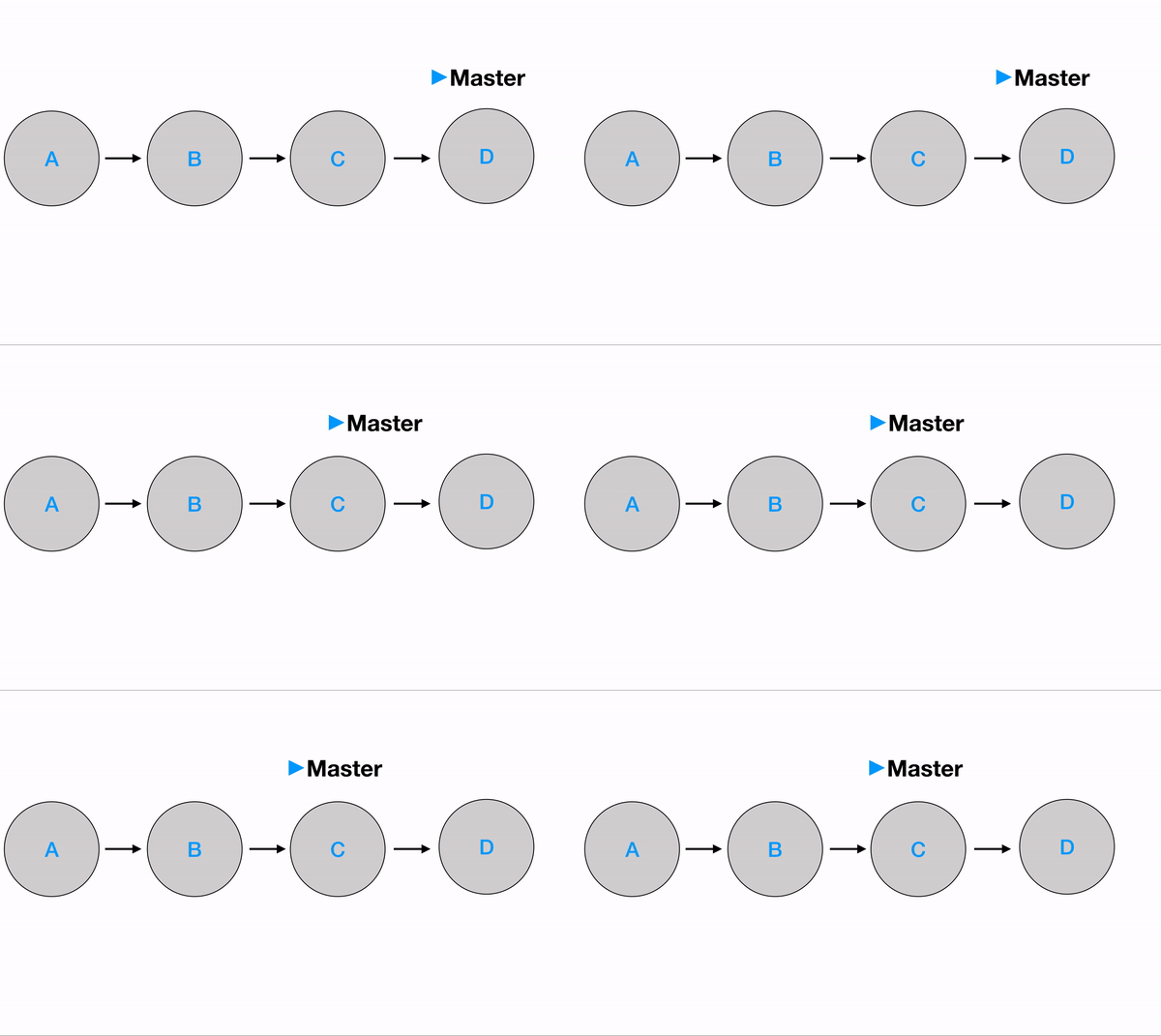
git checkout <commit hash>
This command will move the HEAD pointer to the denoted commit.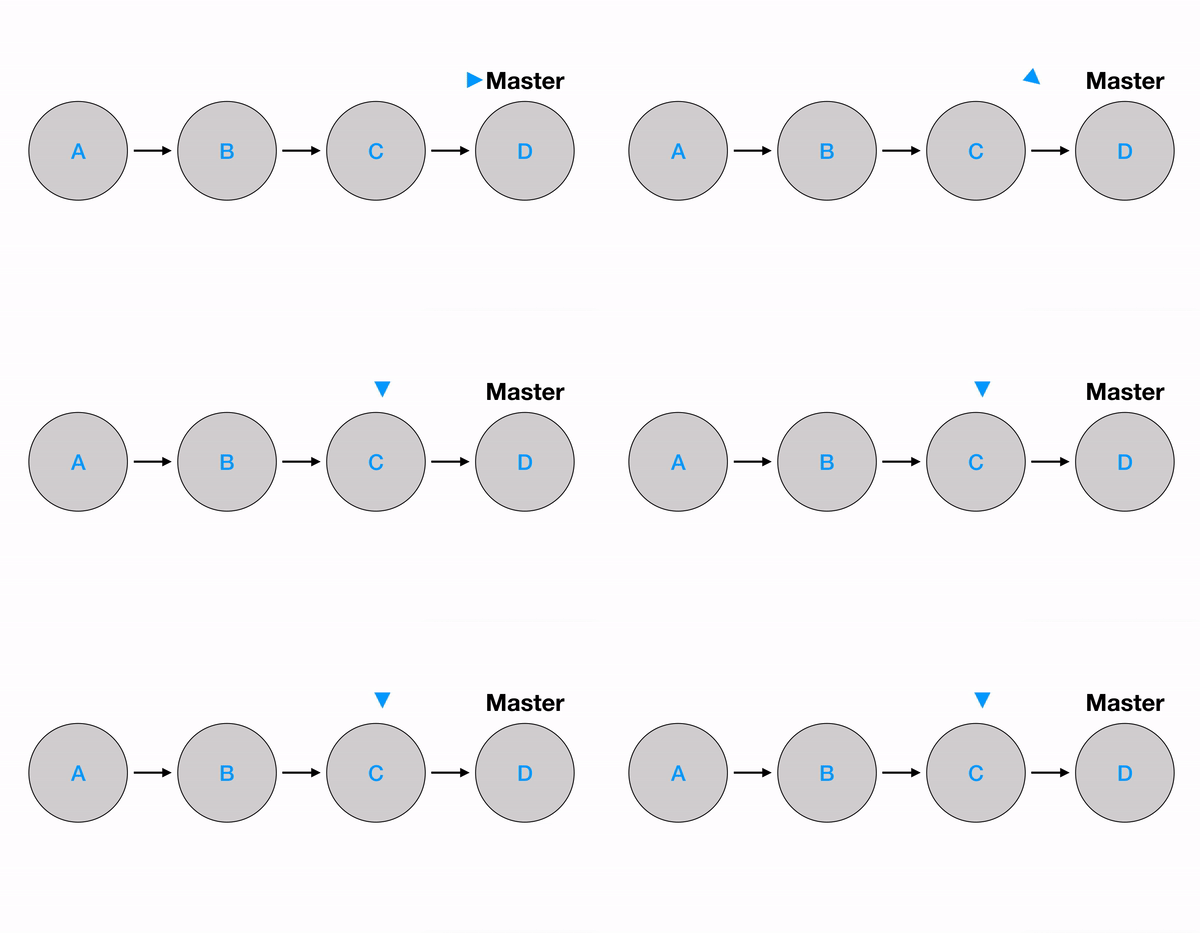
git checkout HEAD^
This command will move the HEAD to the parent of the current commit.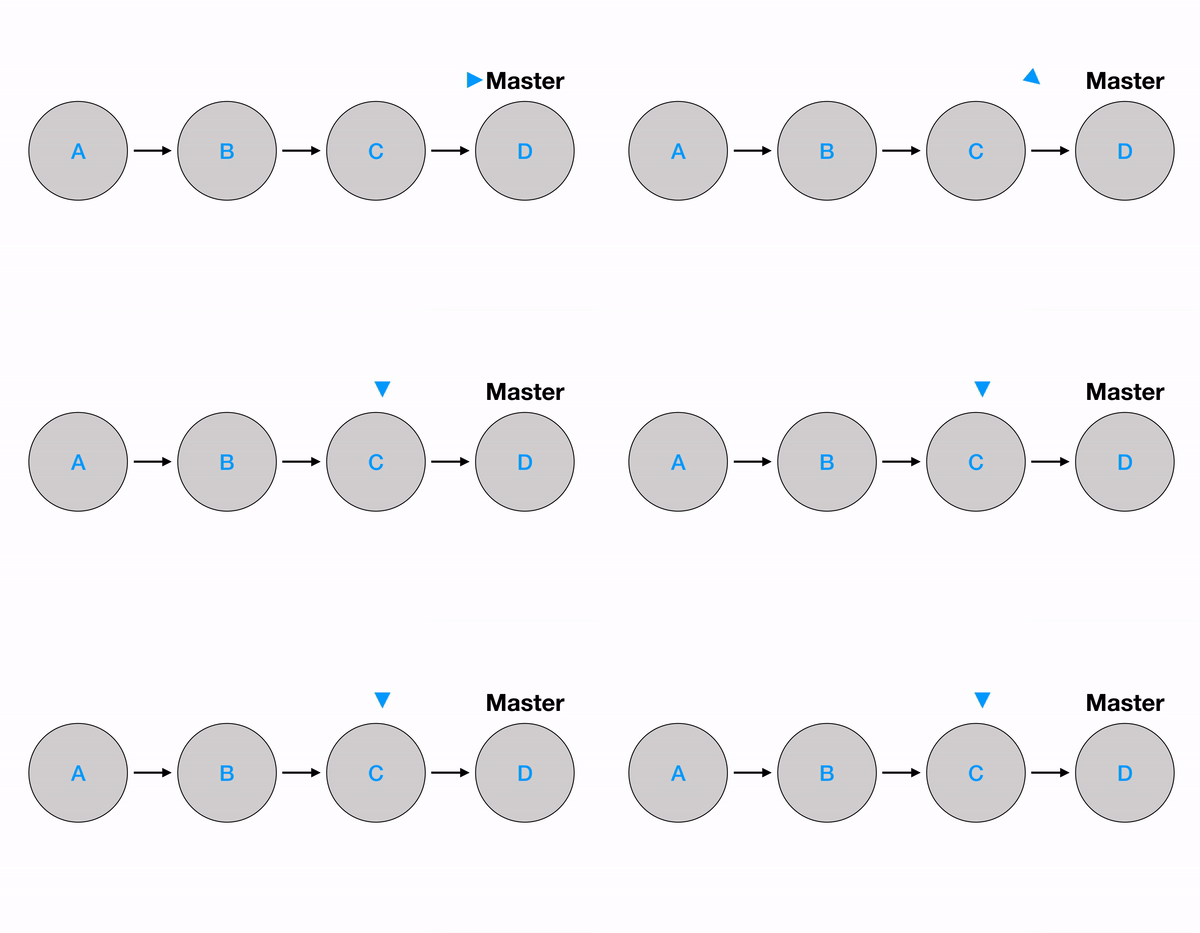
git checkout HEAD~<level>
This command will move the HEAD pointer upward by <level> levels.
Advanced Editing
git rebase <branch>
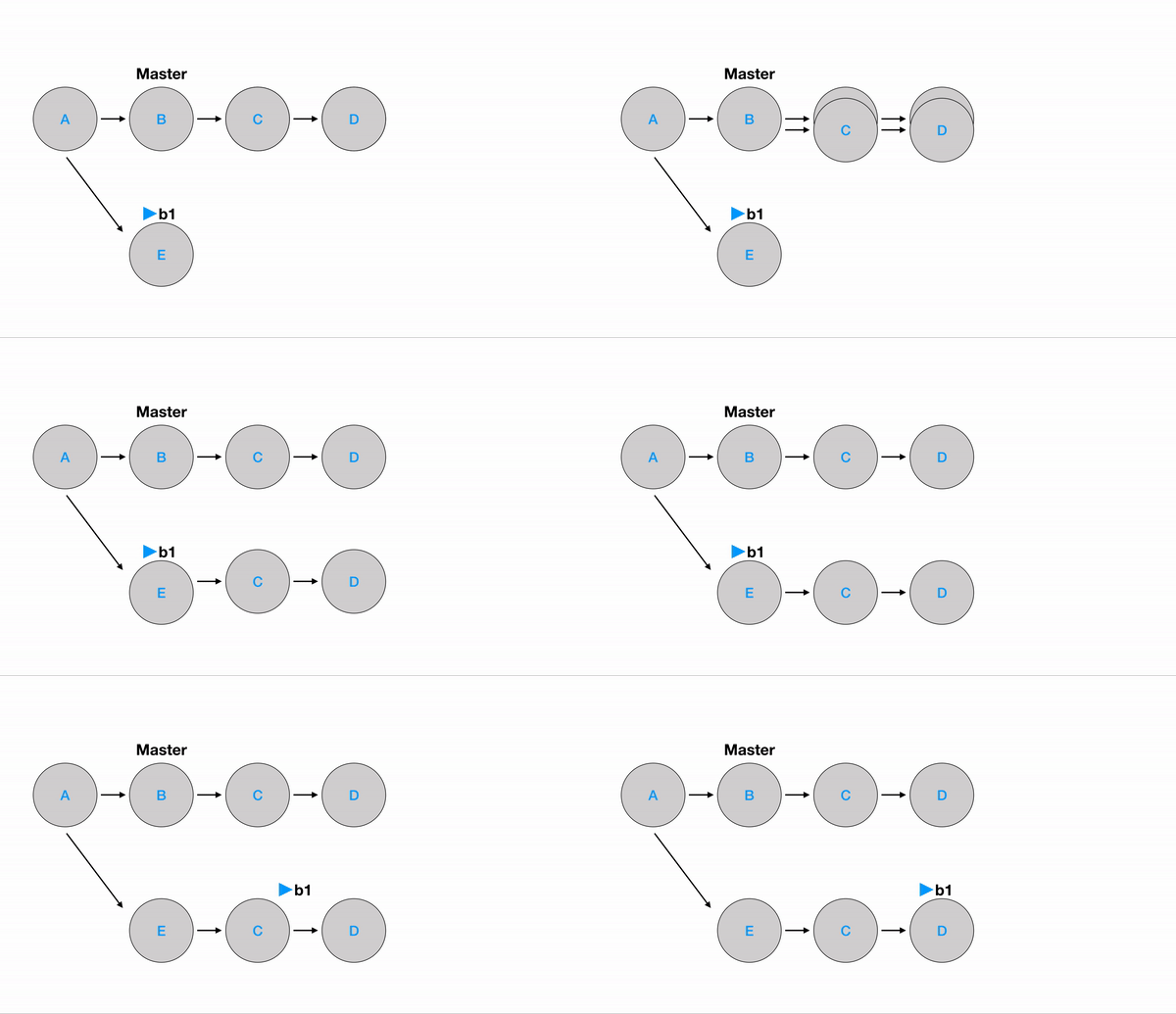
This command will perform two tasks. First, make a copy of the current branch, then paste it on top of the denoted branch.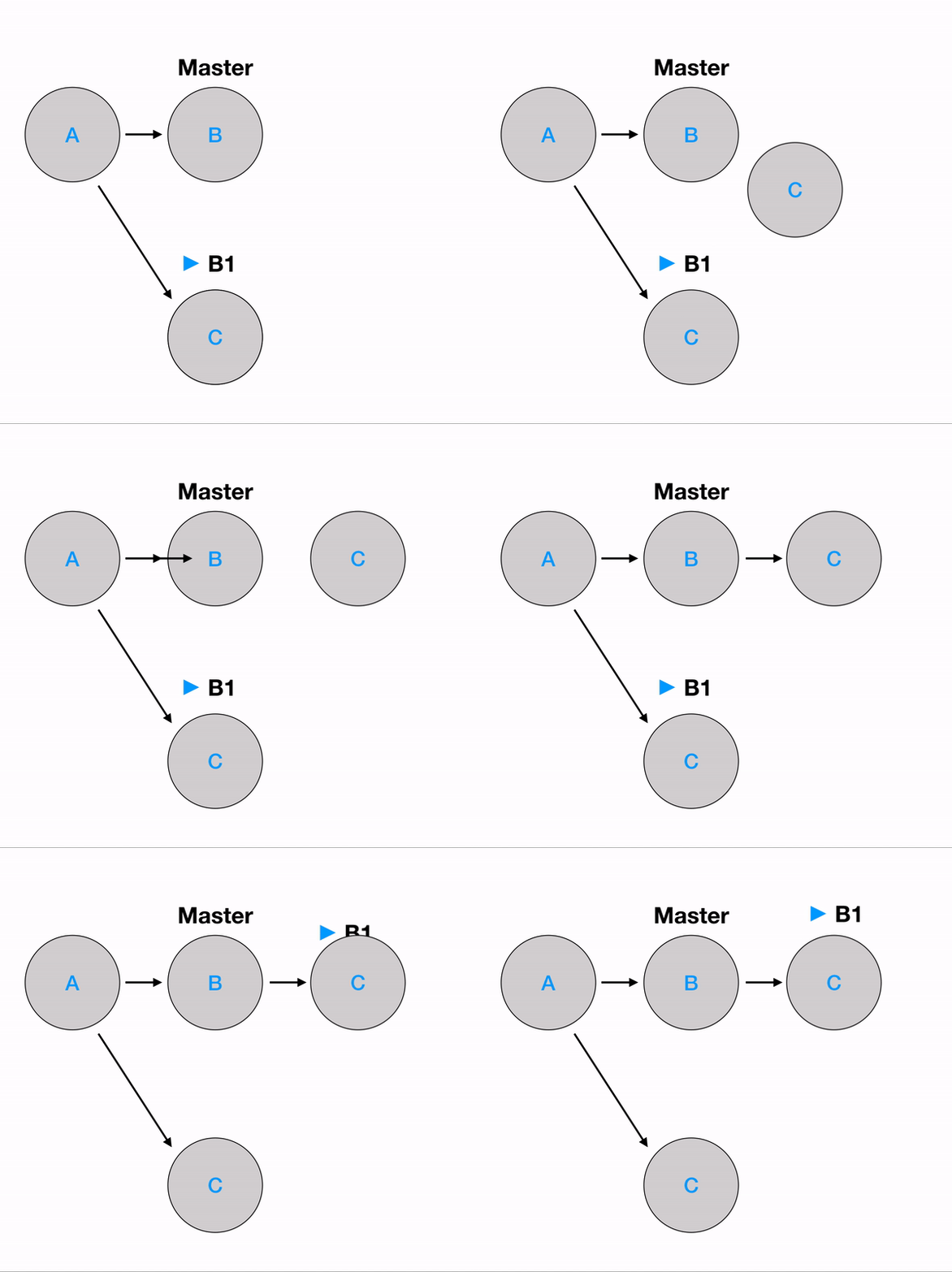
git merge <branch>
This command will merge the current branch with the denoted branch.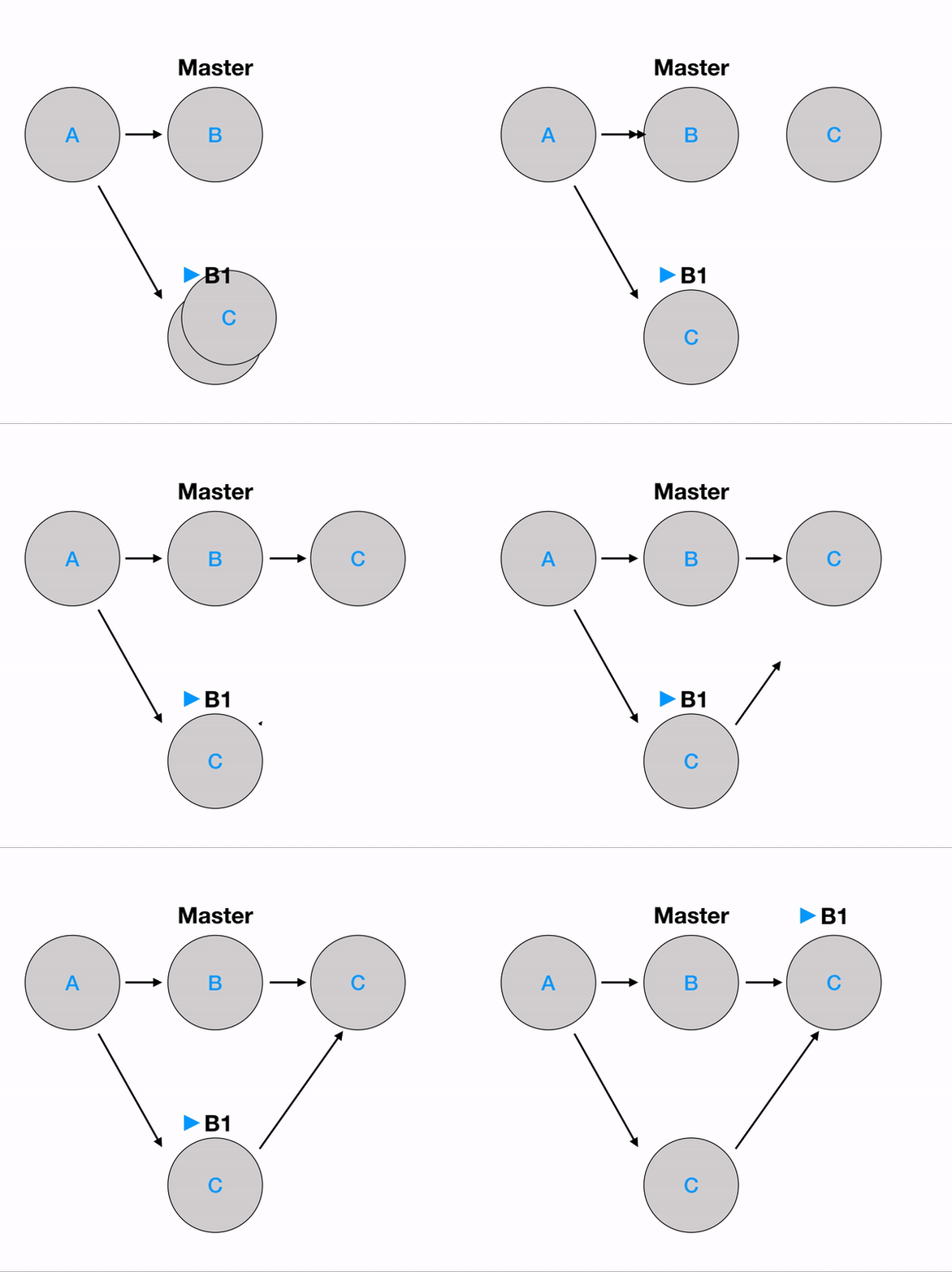
git revert <commit hash>
This command will create a new commit, and this new commit is a copy of the commit denoted or the commit that a branch pointed to.
Copying
git cherry-pick <commit hashes>
This command will make a copy of the selected commits and put it on top of the current branch.
git rebase -i <commit hash>
A file will pop up, and upon changing the file, you’ll change the structure as you denoted in the file. This is a little trickier than cherry-pick, but it is just a different approach that accomplishes the same tasks. I’ll have another post talking about this command in detail.